
Blog
Register Your Contractor License in Tampa: 2026 Guide
Learn how to register your contractor license in Tampa: required documents, the Accela portal steps, and common mistakes to avoid in 2026.

Key Takeaways
-
Registering in Tampa means recording your existing Florida contractor license and insurance with the City's Construction Services Division so you can pull permits; it is not a new state license.
-
Before registering, confirm your license is active and check whether it is state-certified or state-registered on DBPR, and verify the job site is inside Tampa city limits, not unincorporated Hillsborough County.
-
Upload workers' compensation insurance or an exemption proof; general liability certificates do not substitute, and names and license numbers must match exactly across all documents.
-
State-certified contractors self-register through the City's Accela Citizen Access portal, and specialty trades not regulated by DBPR use the City's separate specialty registration form.
-
Registration is not a Business Tax Receipt, which is issued separately by the Business Tax Division, and registration does not replace the individual project permit for each job's scope.
-
Always download the current City forms and guide before submitting, since the City updated its contractor registration materials in 2026, and avoid outdated saved copies.
You have your Florida contractor license in hand, a project is waiting in Tampa, and now you need the City to recognize your credential so you can pull permits. If that sounds like you, take a breath. The process is very doable once you know which door to knock on.
Here is the part that trips up many people: "how to register my contractor license in Tampa" usually does not mean applying for a brand-new state license. It means recording an existing Florida credential with the City of Tampa's Construction Services Division so it can be used for city permitting. In this friendly 2026 guide, we will walk through who needs to register, what paperwork Tampa asks for, how the online portal works, and the common slip-ups that stall applications.
Whether you are a general contractor, a solar company, a specialty trade, or a homeowner trying to understand what your contractor must do, you will find clear steps below. Always double-check the City's live forms before you submit, because workflows can change.

What Does Registering a Contractor License in Tampa Actually Mean?
Registering a contractor license in Tampa means giving the City proof of your existing Florida credential and your insurance status so your company is on file to apply for permits. It is a city-level step, separate from the license itself.
The Florida Department of Business and Professional Regulation (DBPR) issues and regulates state contractor licenses. Tampa does not issue those. Instead, the City's Construction Services Division handles contractor registration and insurance updates for work inside its jurisdiction.
Think of it this way:
- The license proves you are qualified to do the work (issued by the state or, for some trades, by a local authority).
- The registration tells Tampa who you are, that your license is valid, and that your insurance is on file.
- The permit authorizes a specific project at a specific address.
You need all three working together, in that order.
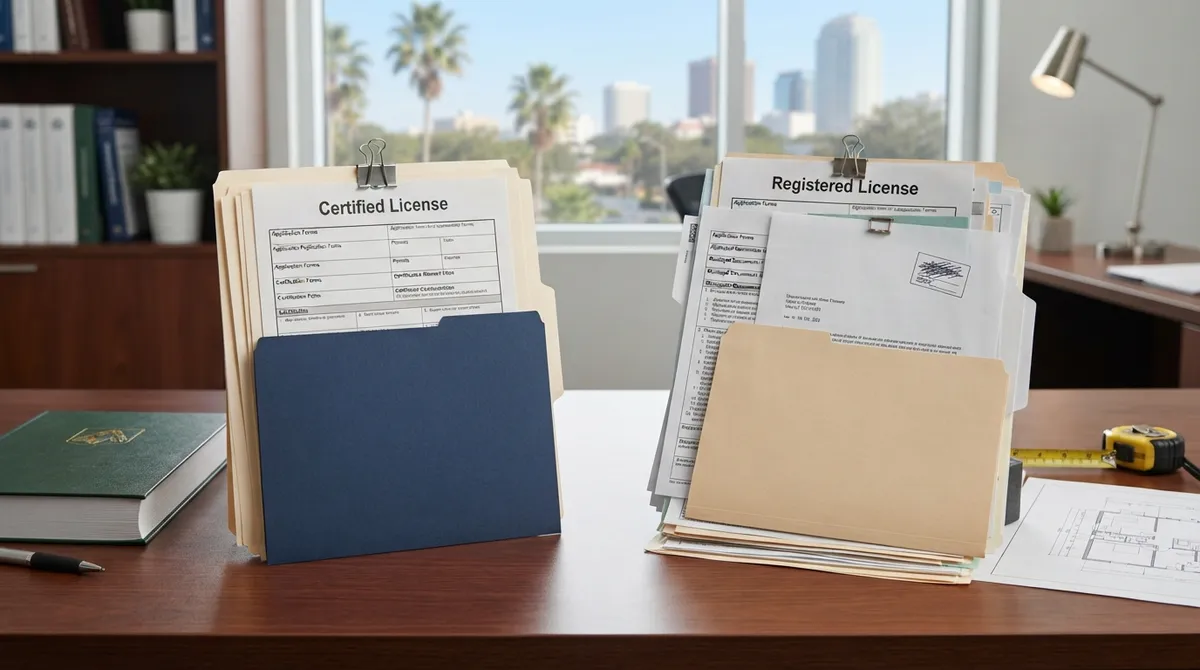
Certified vs. Registered Licenses: Why It Matters First
Before you start the Tampa process, check which type of Florida license you hold. DBPR distinguishes two categories, and the difference affects where you can work.
| License Type | Where It Generally Applies | What to Know for Tampa |
|---|---|---|
| State-certified | Statewide authority to work across Florida | Register with the City through its online portal |
| State-registered | Tied to the local jurisdiction(s) where you met competency requirements | Confirm your competency covers Tampa before registering |
| Not regulated by DBPR (certain specialty trades) | Local authority only | Use the City's separate specialty-contractor registration |
A quick lookup on DBPR's license search confirms your status, category, and whether anything is flagged. Doing this first saves you from uploading the wrong paperwork later.
Who Needs to Register With the City of Tampa?
Any contractor who plans to apply for permits for work inside Tampa city limits should expect to register first. That includes:
- General, building, and residential contractors
- Roofing, plumbing, mechanical, and electrical contractors
- Solar and low-voltage contractors
- Specialty trades the City tracks separately
Homeowners are in a different lane. If you are an owner-builder, you generally apply under owner-builder rules instead of registering as a contractor. If you are hiring someone, ask to see proof that their registration is current. Our owner-builder permit support can help you sort out which route fits your project.
Confirm the Property Is Actually Inside Tampa City Limits
This one catches people constantly. A mailing address that says "Tampa" does not guarantee the property sits inside the City of Tampa. Plenty of "Tampa" addresses are in unincorporated Hillsborough County or in other municipalities, such as Temple Terrace or Plant City, where registration, permitting, and business-tax rules differ.
Verify the jurisdiction before you register or file anything. If it turns out the job falls under the county, you will follow county procedures instead. If you want a second set of eyes, our guide to which Florida jurisdiction reviews your project walks through how to tell. We also keep a dedicated page for permitting in Tampa.
Documents Tampa Typically Requires
Tampa's published guidance lists a short set of baseline items for state-certified and state-registered contractors. Having these ready makes the process smooth.
The Baseline Checklist
- A copy of your Florida contractor license from DBPR.
- Workers' compensation insurance certificate or proof of exemption.
- A contractor letter of authorization, if you are adding authorized agents or signers or the City's guide calls for it in your situation.
One important caution: do not assume a general liability certificate can stand in for workers' compensation documentation. Tampa's guidance specifically calls for workers' comp paperwork or proof of exemption, so upload the right document the first time.
Extra Items for Certain Trades
Contractors whose work is not regulated by DBPR use the City's separate specialty-contractor registration process and form. Tampa lists examples such as certain specialty, fire, paver, and tree-service contractors. Depending on the trade, you may also need a business tax license or, for fire protection contractors, a fire contractor license.
| Contractor Type | Core Documents | Possible Extras |
|---|---|---|
| State-certified | Florida license, workers' comp or exemption | Letter of authorization for agents/signers |
| State-registered | Florida license, workers' comp or exemption | Letter of authorization |
| Specialty (non-DBPR) | City specialty registration form, insurance proof | Business tax license; fire contractor license for fire protection |
How to Register Your Contractor License in Tampa, Step by Step
Here is the typical path for a state-certified contractor. The City's current guide is the final word, but this is the general flow.
- Verify your license on DBPR. Confirm it is active, in good standing, and in the right category.
- Gather your documents. Scan your license and your workers' compensation certificate or exemption proof. Make sure names and license numbers match exactly.
- Confirm the project location. Make sure the job address is inside Tampa city limits.
- Open Tampa's Accela Citizen Access (ACA) portal. State-certified contractors are directed to self-register there.
- Follow the City's registration form and guide. Complete each field and attach your uploads as instructed.
- Submit and watch for follow-up. Tampa says documents are processed in the order received, so a complete submission helps avoid avoidable delays.
- Apply for your project permit. Once you are registered, you can file the permit for the specific scope of work.
If you are a specialty trade outside DBPR's umbrella, swap step 4 for the City's specialty-contractor registration form and instructions, available on the Construction Services forms and documents page.
Registration Is Not a Business Tax Receipt
This distinction confuses a lot of folks, so let us clear it up. A City of Tampa contractor registration is not the same as a City of Tampa Business Tax Receipt.
The City's Business Tax Division issues local receipts authorizing a business, profession, or occupation to operate within its jurisdiction. Registration, on the other hand, handles your contractor credential and insurance with Construction Services. You may need one, the other, or both, and you should determine separately whether your company needs a city and/or other applicable local receipt.
| Item | Handled By | Purpose |
|---|---|---|
| Contractor registration | Construction Services Division | Records your license and insurance for permitting |
| Business Tax Receipt | Business Tax Division | Authorizes operating a business in the jurisdiction |
| Project permit | Construction Services Division | Authorizes a specific scope of work at an address |
Registration Does Not Replace Project Permits
Once you are registered, you are not done. Registration does not replace the permits required for each job. You still need to apply for the approvals tied to the specific scope of work and follow applicable building, zoning, and inspection requirements.
For many projects, that means well-prepared plans, and sometimes sealed engineering. If you are not sure what your Tampa project needs, our guides on structural engineers for permits in Tampa and MEP engineering for Tampa permits are a helpful next read. And if a plan comes back with comments, here is who can rescue a denied building permit in Florida.
Common Mistakes That Delay Tampa Registration
A little care up front goes a long way. Watch out for these frequent hiccups:
- Uploading the wrong insurance document. General liability is not a substitute for workers' comp or an exemption.
- Assuming "Tampa" means city limits. Confirm jurisdiction before you file anything.
- Mismatched names or license numbers between your DBPR record, insurance certificate, and form.
- Skipping the authorization letter when adding agents or signers who will file on your behalf.
- Using an outdated form. The City listed its contractor registration guidance and form as updated in 2026, so always download the current versions rather than an old saved copy.
- Confusing registration with the Business Tax Receipt and assuming one covers the other.
If you work across several areas, you may also be registering in other places. We cover that in how to register your contractor license in a new Florida county, and you can compare notes with our walkthroughs for Naples and Venice.
Tips for Different Readers
General Contractors
Keep a clean, current document packet on hand: license copy, insurance certificates, and your authorization letter. Update insurance with the City whenever your policy renews so permit applications are never held up by an expired certificate.
Solar Companies
Solar jobs often move fast, and a stalled registration can hold a whole install schedule. Register early, confirm your credentials cover the scope, and pair registration with solid structural and electrical documentation. Our overview of solar company permitting in Tampa is a good companion read.
Homeowners and Real Estate Professionals
If you are hiring a contractor, ask whether they are registered with the City of Tampa and have current insurance on file. If you are buying or selling a property, an unregistered contractor can signal permit trouble down the road. Our guide on permit due diligence in Tampa before you buy explains what to check.
Architects, Designers, and Specialty Trades
If your trade is not regulated by DBPR, remember you will use the City's separate specialty registration process. Confirm early whether a business tax license or fire contractor license applies to you.
How 1 Contractor Solutions Can Help
Paperwork should not slow down your crew. 1 Contractor Solutions acts as Florida's outsourced permitting department, handling permit filing, tracking, plan review coordination, and in-house sealed drawings across all 67 Florida counties. We know that registration is just the first checkpoint, and we can carry your project from registration support through municipality registration, permit facilitation and filing, and final approval.
Curious how others feel about working with us? You can visit us on Google — 1 Contractor Solutions and read reviews from contractors we have supported. Prefer to stay connected? Follow us on LinkedIn or follow us on Facebook for practical Florida permitting tips. And if you are growing your own contracting business online, Brain Buzz Marketing is a helpful resource.
Wrapping Up: Your Quick Registration Roadmap
Registering your contractor license in Tampa comes down to a few friendly steps: confirm your license type on DBPR, verify the property is inside city limits, gather your license copy and workers' compensation proof, and submit through the City's Accela portal (or the specialty form if you are outside DBPR). Then remember that registration is not a Business Tax Receipt and does not replace project permits.
Keep the City's current guide handy, submit a complete packet, and you will avoid most of the delays contractors run into. And if you would rather hand the paperwork to people who do this every day, we would love to help. Ready to get moving? Get a free quote and let our team take the permitting headaches off your plate.
FAQs
How do I register my Florida contractor license with the City of Tampa?
Verify your license on DBPR, then gather a copy of your Florida license and your workers' compensation certificate or proof of exemption. State-certified contractors self-register through the City's Accela Citizen Access portal and follow the current registration form and guide. Easy as that, as long as you upload the right documents the first time!
Do I need a Tampa contractor registration if I already have a Florida state-certified license?
Generally, yes. A state-certified license shows you are qualified, but Tampa still wants your credential and insurance recorded with its Construction Services Division so you can pull permits for work inside city limits. Think of registration as introducing yourself to the City.
Is a Tampa contractor registration the same as a business tax receipt?
Nope, they are two separate things. Registration records your license and insurance with Construction Services, while a Business Tax Receipt from the Business Tax Division authorizes a business to operate within the jurisdiction. Check separately whether your company needs a receipt in addition to registering.
Do specialty contractors need a DBPR license to register in Tampa?
Not always. Contractors whose work is not regulated by DBPR, such as certain specialty, fire, paver, and tree-service trades, use the City's separate specialty-contractor registration process. Some of these trades also need a business tax license or, for fire protection, a fire contractor license.
How do I check whether a property is inside Tampa city limits before applying for a permit?
Do not rely on the mailing address, since many "Tampa" properties sit in unincorporated Hillsborough County or other municipalities. Confirm the property's jurisdiction before you register or file, because registration, permitting, and business-tax rules can differ depending on where the job actually is.
We do this work every day across all 67 Florida counties. Call (866) 314-6931 and we will tell you what your situation actually requires — including when you do not need us.
Related services
Permit Facilitation & Filing
You have a crew scheduled, a client asking for dates, and a permit sitting somewhere in a queue you cannot see. We file it, w…
See the servicePlan Review Coordination
A permit in plan review is not one queue. On a commercial project it can be six queues, each with its own reviewer, its own c…
See the serviceReady to get your permit moving?
One call tells you which jurisdiction controls your project, what it will take, and what it will cost. Most of the time we can scope it on the phone.