
Blog
How Do You Register a Contractor License in St. Petersburg?
Learn how to register your contractor license in St. Petersburg: City registration, Pinellas County steps, Business Tax Receipts, and renewal dates.
Key Takeaways
-
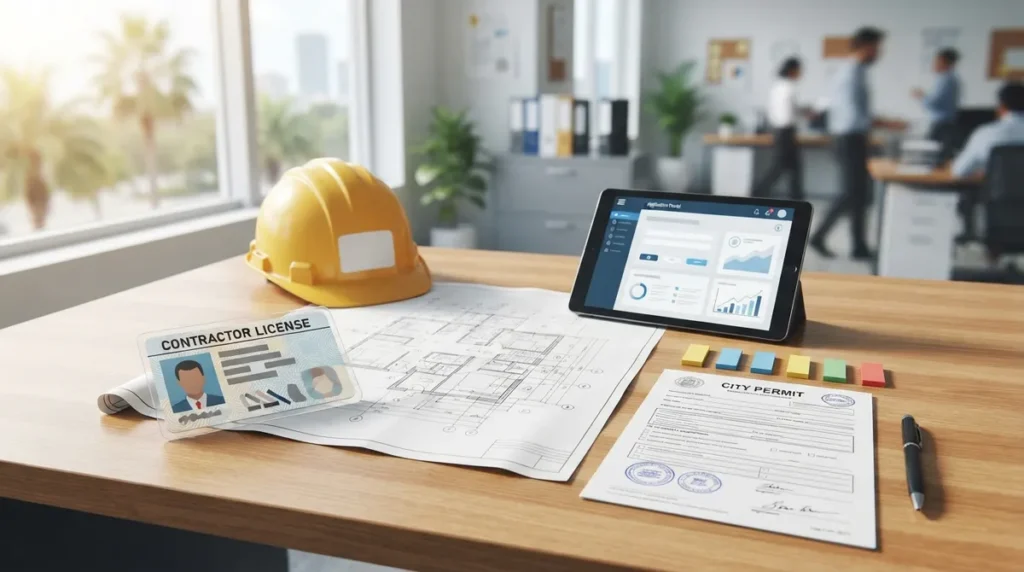
Registering in St. Petersburg is not the same as earning a Florida contractor license; it means connecting your existing state or county credential to City and Pinellas County systems.
-
Four separate items are involved: your DBPR or PCCLB license, county registration, a City Business Tax Receipt, and a Pinellas County Access Portal account. Holding one does not give you the others.
-
Register your business with the City's Construction Services and Permitting Department, confirming current steps by calling 727-893-7231 before you file.
-
Link your active license to your Pinellas County Access Portal account and upload current state-issued photo ID; verification can take up to 24 business hours.
-
Make sure the address on your ID matches your contractor license, and keep PCCLB-registered status Active, since inactive contractors cannot have permits processed.
-
Pinellas County contractor registrations renew annually between June 1 and September 30, so set a reminder in May to avoid a lapse mid-project.
You passed the exam, your license is in hand, and a St. Petersburg job is waiting on you. Then comes the part nobody warns you about: figuring out how to register my contractor license in St. Petersburg so you can actually pull a permit. If that sounds confusing, you are in good company. Plenty of sharp contractors get tripped up here, because Florida stacks several credentials on top of each other.
Here is the friendly truth. In St. Petersburg, "registering" usually means taking a state or county credential you already hold and connecting it to the City and to Pinellas County systems. It is not the same as earning a Florida contractor license. And the City, the county, and the state each have their own piece of the puzzle.
In this guide, we will walk through each layer in plain English, show you the documents you will want ready, and point out the mistakes that slow people down. Whether you are a general contractor, a solar installer, or a specialty trade, you will leave knowing exactly what to do next. One quick note: forms, fees, and submission steps change, so always confirm current details with the issuing agency before you file.

What Does Registering a Contractor License in St. Petersburg Really Mean?
Let's clear up the biggest source of confusion first. A contractor license, a county registration, a business tax receipt, and a permit-portal account are four different things. Having one does not automatically give you the others.
Florida's Department of Business and Professional Regulation (DBPR) also separates two license types. A certified license works statewide. A registered license is limited to the jurisdictions where you have met local requirements. That difference matters a lot once you start working in Pinellas County.
| Credential | Who Issues It | What It Does |
|---|---|---|
| Florida contractor license | DBPR | Legal authority to contract (certified is statewide; registered is local) |
| PCCLB credential | Pinellas County Construction Licensing Board | Local license or registration for certain trades in Pinellas County |
| Business Tax Receipt | City of St. Petersburg | Local permission to operate a business inside city limits |
| Permit-portal account | Pinellas County Access Portal / City | Lets you attach your license to permit applications |
A Business Tax Receipt is not a substitute for a contractor license or any required PCCLB registration. Think of it as one layer, not the whole cake.
Step-by-Step: How to Register Your Contractor License in St. Petersburg
Every contractor's path looks a little different depending on trade and license type. Still, most people follow this general order.
- Confirm your license type. Check whether you hold a DBPR certified license, a DBPR registered license, or a PCCLB-issued credential. This decides which steps apply to you.
- Verify your license is active. Look yourself up in the DBPR system and, if applicable, confirm your PCCLB status. Inactive status can stop a permit cold.
- Register with Pinellas County. State-certified contractors must register to work in Pinellas County. Reach out to the county's Contractor Licensing Department for the current process.
- Register your business with the City. To pull permits in St. Petersburg, the City says contractors must register their business with its Construction Services and Permitting Department. The City lists 727-893-7231 for this process.
- Get your Business Tax Receipt. If your business is located within city limits, you will need one. Requirements vary by business classification.
- Set up and verify your Access Portal account. Add your license to your Pinellas County Access Portal account so it can be attached to permit applications.
- Submit your first permit. Once everything shows as active and linked, you are ready to file.
That is the big picture. Now let's zoom in on the pieces people stumble over most.
The City of St. Petersburg Piece: Contractor Registration
The City wants contractors who pull permits in St. Petersburg to register their business with the Construction Services and Permitting Department. This is separate from your state license and separate from county registration.
Because submission instructions can change, the smartest move is a quick phone call to 727-893-7231. Ask what they currently require, what format they want documents in, and whether anything has changed. Five minutes on the phone can save you a week of back-and-forth.
The Business Tax Receipt
If your business is located within St. Petersburg city limits, you will also need a City Business Tax Receipt. The exact application requirements vary by business classification, so what a roofer submits may differ from what a solar company submits.
The City's guidance generally looks like this:
- State-certified contractor: an active Florida DBPR license plus a current Pinellas County Construction Licensing Board (PCCLB) credential.
- PCCLB-certified contractor: a current PCCLB registration card and, when the trade requires it, the applicable DBPR license.
No single fee amount applies to everyone. Fees depend on your business-tax classification and the licensing or registration path you are on, so verify amounts with the issuing agency before you apply.
The Pinellas County Piece: Registration and the Access Portal
Even if your office sits right in St. Pete, the county plays a big role. The Pinellas County Construction Licensing Board (PCCLB) was established in 1973 and regulates certain construction and home-improvement contractors across Pinellas County, including its municipalities.
Here is what the county says about getting set up in its permitting system:
- A valid license must be associated with your Pinellas County Access Portal account before it can be added to permit applications.
- You must upload current state-issued photo identification for verification.
- Verification may take up to 24 business hours, so do not wait until the morning of a deadline.
- PCCLB-registered contractors must have Active status. Permits will not be processed for inactive contractors.
If You Are Not Regulated by PCCLB
Some state-certified contractors are not regulated by the PCCLB. The county's guidance says these contractors should submit their registration to licensing@pinellas.gov. Typical attachments include:
- A copy of your state contractor license
- Certificates of liability insurance
- Workers' compensation insurance certificates (or proof of exemption, where applicable)
- State-issued ID with an address that matches your contractor license
Confirm applicability and current requirements with the county before you send anything. Requirements can shift, and a quick check keeps you from resubmitting.
Documents to Gather Before You Start
Nothing feels better than having everything in one folder. Before you begin, pull together the items below. Not every item applies to every contractor, but this list covers the usual suspects.
| Document | Used For |
|---|---|
| Active DBPR license information | City and county registration, Business Tax Receipt |
| Current PCCLB card (if applicable) | Business Tax Receipt, permit access |
| State-issued photo ID | Access Portal verification |
| Liability insurance certificate | County registration |
| Workers' compensation certificate or exemption | County registration |
| Business information and classification | City Business Tax Receipt |
One small detail trips people up often: the address on your ID should match the address on your contractor license. A mismatch can cause delays, so fix it before you submit rather than after.
Renewal Dates You Do Not Want to Miss
Registration is not a one-and-done event. Pinellas County states that local contractor registrations and licenses are renewed annually between June 1 and September 30. Mark that window on your calendar, set a reminder for May, and you will avoid the panic of discovering your status lapsed mid-project.
Remember that PCCLB-registered contractors must stay Active, and inactive contractors cannot have permits processed. A lapse does not just pause new filings. It can stall jobs you already have underway.
Common Mistakes That Slow St. Petersburg Registrations
After years of watching contractors work through this process, a few patterns show up again and again. Here is what to watch for:
- Assuming one credential covers everything. A DBPR license does not replace county registration, and a Business Tax Receipt does not replace either.
- Skipping the ID match. An address mismatch between your ID and license is a classic snag.
- Waiting to verify the Access Portal. That 24-business-hour window can bite you if you wait until you have a permit due.
- Letting status go inactive. Active status is not optional for PCCLB-registered contractors.
- Using outdated forms. Always grab current forms directly from the agency.
If you are also working across county lines, our guide on how to register your contractor license in a new Florida county explains how the pattern repeats elsewhere.
How This Fits Into Your Bigger Permitting Workflow
Registration is the front door. Once you walk through it, you still have plans, filings, plan review comments, and inspections ahead. That is where many contractors feel the squeeze, especially solar companies and roofers handling a heavy volume of jobs.
A few things are worth knowing as you plan ahead:
- Well-prepared drawings move through review faster. Our post on permit drawing mistakes that stall St. Petersburg jobs covers what reviewers commonly flag.
- If you need drawings prepared locally, see what architectural drafting services in St. Petersburg should include.
- Before you buy or take on a property, permit due diligence in St. Petersburg helps you spot surprises early.
For a broader view of this exact topic, you may also like our walkthrough of 6 steps to contractor registration in St. Petersburg. And if you work in neighboring areas, our Venice, FL registration guide shows how a different jurisdiction handles the same job.
When It Makes Sense to Get Help
You can absolutely handle registration yourself. The agencies are helpful, and the steps are manageable once you know the order. But time is money on a job site, and every day a crew waits on paperwork is a day you are paying for nothing.
That is where a dedicated permitting team earns its keep. At 1 Contractor Solutions, we act as Florida's outsourced permitting department. We handle municipality registration, permit filing, tracking, and revisions, and our in-house drafting and engineering team keeps plan comments moving without waiting on outside consultants. We work across all 67 Florida counties, including St. Petersburg, and we answer fast, day or night.
Curious how others have seen us perform? You can visit our 1 Contractor Solutions page on Google to read reviews from contractors we have worked with. You can also follow us on LinkedIn and follow us on Facebook for Florida permitting tips as rules evolve. Our marketing partner, Brain Buzz Marketing, helps us share those updates.
Quick Reference: Who Do You Contact?
| If You Need To... | Start With |
|---|---|
| Register your business to pull permits in the City | City of St. Petersburg Construction Services and Permitting (727-893-7231) |
| Get a Business Tax Receipt | City of St. Petersburg Business Tax Receipts |
| Register a state license in Pinellas County | Pinellas County Contractor Licensing Department |
| Submit non-PCCLB registration | licensing@pinellas.gov |
| Check or update your state license | Florida DBPR |
Ready to Get Your St. Petersburg Registration Done?
Learning how to register my contractor license in St. Petersburg comes down to connecting the dots: an active state or county credential, City business registration, a Business Tax Receipt when required, and a verified Pinellas County Access Portal account. Take them one at a time, keep your documents organized, and watch that June 1 to September 30 renewal window.
If you would rather hand the paperwork to a team that does this every day, we would love to help. Get a free quote and let us take registration, filing, and tracking off your plate so your crews can get back to work.
FAQs
How do I register as a contractor with the City of St. Petersburg?
Contractors who want to pull permits in St. Petersburg register their business with the City's Construction Services and Permitting Department. The City lists 727-893-7231 for this process, so give them a quick call to confirm the current submission steps. If your business sits inside city limits, you will also need a Business Tax Receipt.
Do I need Pinellas County registration if I already have a Florida DBPR license?
In most cases, yes. Pinellas County says state-certified contractors must register to work in the county, and your license must be linked to your Access Portal account before you can add it to permit applications. Check with the Contractor Licensing Department to confirm what applies to your trade.
What is the difference between a certified and a registered contractor in Florida?
A certified license, issued by DBPR, is valid statewide. A registered license is limited to the jurisdictions where you have met local requirements. That is why a registered contractor needs to confirm local rules before working in a new area.
How long does Pinellas County Access Portal verification take?
The county says verification may take up to 24 business hours after you upload your current state-issued photo ID. Plan ahead and do this well before your first permit deadline. PCCLB-registered contractors also need Active status, or permits will not be processed.
When do Pinellas County contractor registrations renew?
Pinellas County states that local contractor registrations and licenses renew annually between June 1 and September 30. Set a reminder in May so nothing lapses mid-project. Always confirm current renewal instructions directly with the county.
We do this work every day across all 67 Florida counties. Call (866) 314-6931 and we will tell you what your situation actually requires — including when you do not need us.
Related services
Permit Facilitation & Filing
You have a crew scheduled, a client asking for dates, and a permit sitting somewhere in a queue you cannot see. We file it, w…
See the servicePlan Review Coordination
A permit in plan review is not one queue. On a commercial project it can be six queues, each with its own reviewer, its own c…
See the serviceReady to get your permit moving?
One call tells you which jurisdiction controls your project, what it will take, and what it will cost. Most of the time we can scope it on the phone.